How to Share a Memorial Page on Social Media (With Copy-Paste Wording)
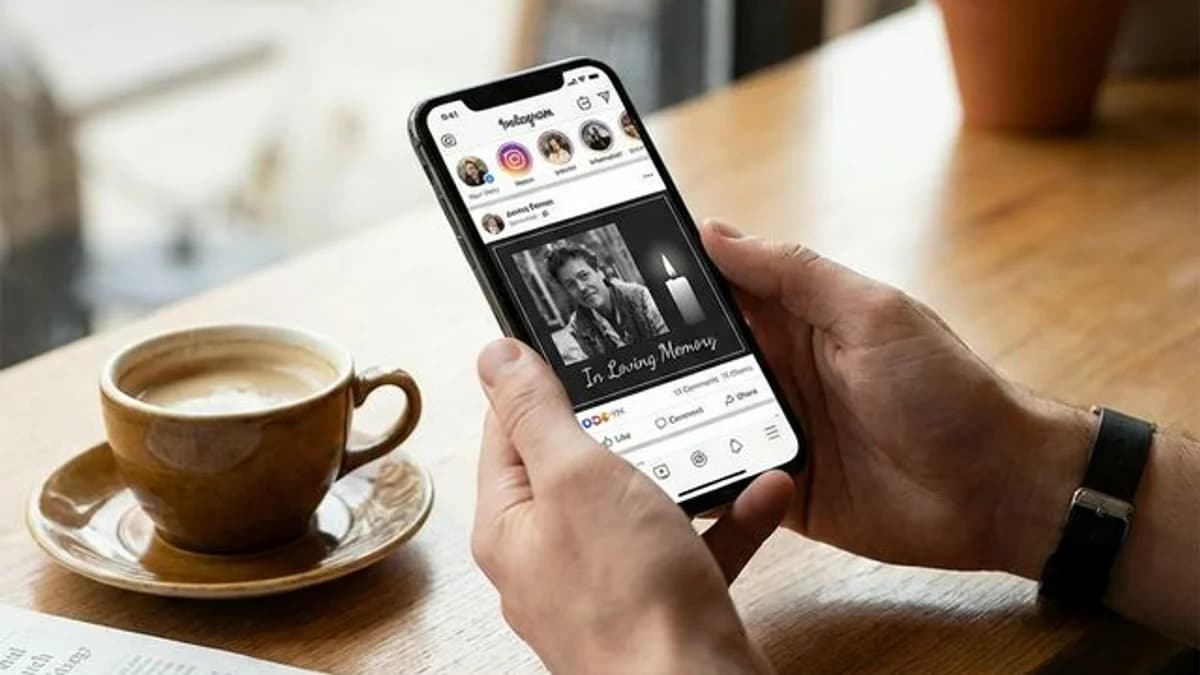
If you have created a memorial page, the next question is usually not technical. It is emotional: what do we actually say when we share it?
The best memorial page posts are clear, respectful, and easy to act on. People should immediately understand who the page is for, why you are sharing it, and what they will find when they click.
The most effective posts name the person, describe what's on the page (photos, their story, service details, a place to leave a message), and include the direct link. Two or three sentences is all you need — short messages get read and clicked more than long ones.
This guide gives you copy-and-paste wording examples for Facebook, WhatsApp, Instagram, and family group messages.
Before You Post
Let close family see it first
Before sharing publicly, make sure the immediate family has seen the page and is comfortable with the wording.
Decide how public it should be
Ask yourself whether the memorial should be:
- public for the wider community
- visible only to friends
- shared only in private family groups
If the memorial uses password protection, public sharing is still possible, but visitors will need the password to view the content.
What Makes People Click the Memorial Link
If you want people to actually open the memorial page, include three things in the message:
- the person's name
- what they will find on the page
- a gentle reason to visit now
In practice, that usually means mentioning photos, their story, service details, or a place to leave a message.
Short Memorial Announcement Wording
Short respectful announcement
We created a memorial page for [Name] where family and friends can view photos, read their story, and leave a message of remembrance. Here is the link: [URL]
Family group message example
We wanted to share [Name]'s memorial page with family first. It has their photos, story, and service information in one place: [URL]
Service follow-up example
For anyone who could not attend, we created a memorial page for [Name] with photos, their biography, and a place to leave a message: [URL]
Short respectful social post
Remembering [Name] with love. We created a memorial page where you can visit their story, photos, and tribute here: [URL]
Facebook Memorial Post Examples
Facebook is usually the easiest place to share because the memorial link will generate a preview card automatically.
Example 1
We created a memorial page for [Name] where you can see photos, read their story, and light a candle in their memory. Please feel free to visit and share it with anyone who knew them: [URL]
Example 2
If you knew [Name], we would love for you to visit their memorial page, look through the photos, and remember them with us: [URL]
Example 3
For friends and family asking how to find service details and memorial updates for [Name], everything is gathered here: [URL]
Tips for Facebook
- Put the person's name near the beginning of the post.
- Say what is on the page, not just "link below."
- If the memorial is public, consider pinning the post for a few days.
WhatsApp Memorial Message Examples
WhatsApp works best for close relatives, smaller groups, and people who need the link quickly.
Example 1
Hi everyone, we created a memorial page for [Name]. It has their photos, story, and a place to leave a message if you would like to visit: [URL]
Example 2
Sharing [Name]'s memorial page here so family and friends can keep it in one place. You can read their tribute and come back anytime: [URL]
Example 3
For anyone asking how to share [Name]'s memorial, this is the page we made for them: [URL]
Instagram Story Wording Examples
Instagram stories are usually better than feed posts because you can use a link sticker.
Example 1
Remembering [Name]. Memorial page link here.
Example 2
We created a page with [Name]'s photos and story. Tap to visit.
Example 3
A place to remember [Name], share memories, and revisit their story.
Tips for Instagram
- Use a meaningful photo instead of a screenshot of the page.
- Add the link sticker directly to the story.
- Save the story as a highlight if people may need the link later.
Private Group or Family Chat Examples
If the page is mostly for relatives, your wording can be more personal:
I wanted to share [Name]'s memorial page with the family before we post it anywhere else. Please take a look and let me know if anything should be updated: [URL]
We finally put together [Name]'s memorial page so everyone has one place for the photos, service details, and tribute: [URL]
Email Wording for Relatives, Coworkers, or Community Groups
Some people will be more likely to open the memorial link from email than from social media.
Subject: Memorial page for [Name]
Hello everyone,
We created a memorial page for [Name] where you can view photos, read their story, and leave a message of remembrance.
Visit the memorial here: [URL]
Please feel free to share it with others who knew them.
Share the QR Code Too
If the memorial includes a downloadable QR code, use it alongside the link:
- add it to the funeral program
- send the image in WhatsApp or text
- place it on a memory table
- include it in thank-you cards
If you want more ideas for physical sharing, read how to share a memorial QR code at the gravesite.
Common Mistakes to Avoid
- Posting before the family is ready
- Sharing a link with no explanation of what it is
- Making the post sound promotional instead of personal
- Forgetting to mention whether the page includes service details or messages
Frequently Asked Questions
What do you say when sharing a memorial page?
Name the person, say what's on the page (photos, biography, a place to leave a message), and include the link. Two or three sentences is enough — you don't need to write a tribute in the post itself. The memorial page holds all the detail.
Can you share a memorial page privately instead of posting it publicly?
Yes. You can share the link directly in a private group chat, a text message, or an email rather than posting publicly. If the page is password-protected, just include the password in the same message so visitors can get in.
What's the best platform to share a memorial link on?
Facebook reaches the widest age range and automatically generates a preview card when you paste the link. WhatsApp works best for close family who need it quickly. Instagram works well for a visual tribute if you have a meaningful photo to pair with the post.
When should you share a memorial page after someone dies?
Most families share within a few days, after close family has been notified privately. If the page includes service details, sharing as soon as those are confirmed gives people time to plan attendance.
Should you include the memorial link in a death announcement or obituary?
Yes — if there's an online death announcement or obituary, include the memorial page link. It gives readers an immediate place to view photos, read the biography, and leave a message, all in one place.
Create and Share in One Place
If you still need the memorial page itself, start with a free memorial page. Once it is live, this guide on sharing a memorial page with family and friends and this guide on how to share a memorial QR code can help you circulate it respectfully.
QuickMemorial
Written by the QuickMemorial editorial team. We cover grief, memorials, and end-of-life planning to help families navigate loss with care. Learn about us.
Related Articles
How to Share a Memorial Page with Family and Friends
A step-by-step guide to sharing a memorial page with family and friends by text, email, WhatsApp, obituary, funeral program, and QR code without overwhelming people.
Grave Marker vs. Headstone: What's the Difference and Which to Choose
A grave marker and a headstone both mark a burial site, but they differ in size, style, cost, and cemetery rules — this guide explains each option clearly.
Memorial Service vs. Funeral: Key Differences Explained (2026)
Memorial service vs. funeral: one involves the body, the other doesn't. This guide covers timing, cost, and how to choose the right format for your family.