How to Share a Memorial QR Code at the Gravesite
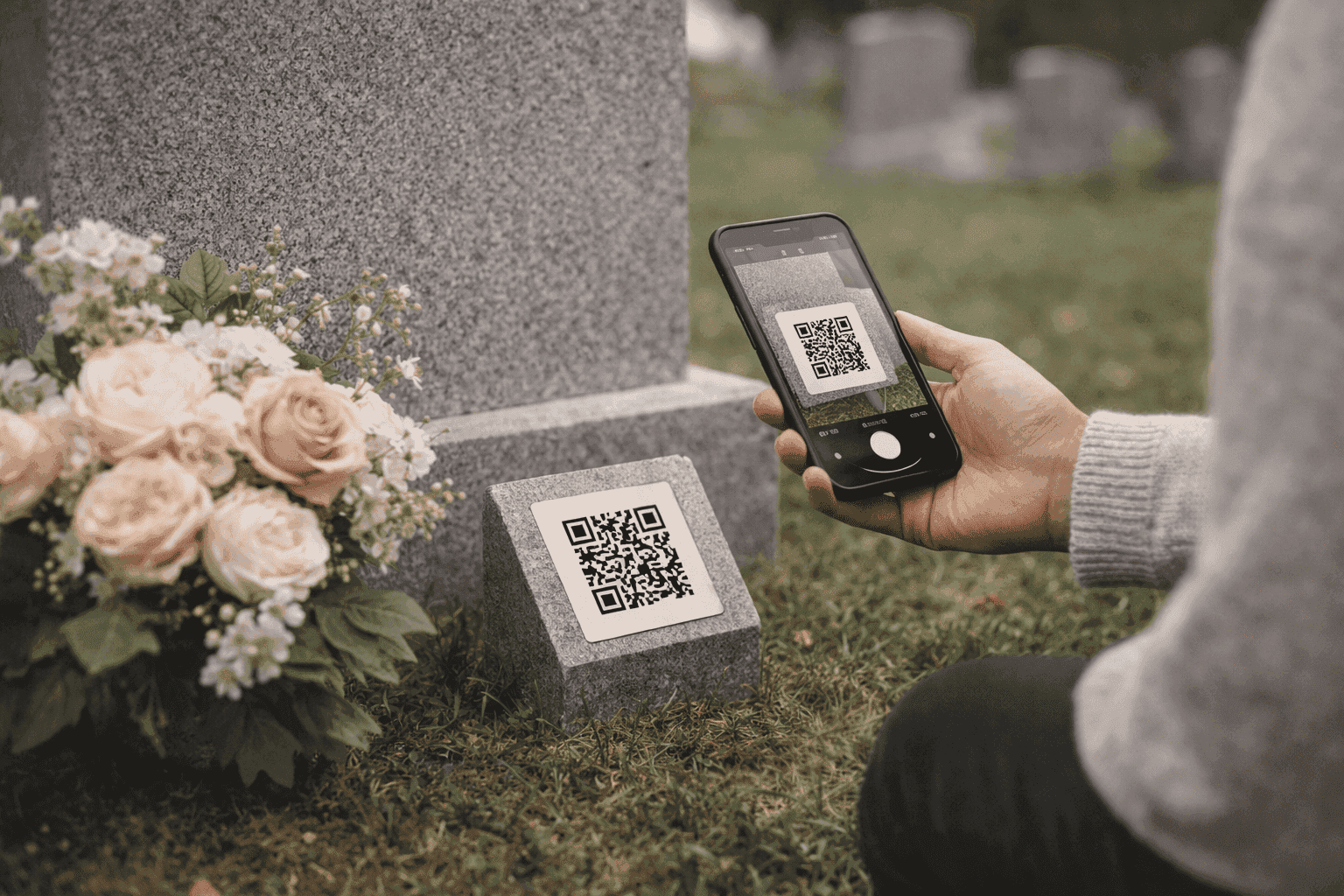
A memorial QR code can turn a gravesite visit into something much more personal.
Instead of seeing only a name and two dates, visitors can scan the code and open photos, a life story, candle messages, and other memories on their phone.
Print the QR code on a laminated card or small sign, place it near the headstone, and link it to a mobile-friendly memorial page. Test the scan in direct sunlight before committing to a placement. The rest of the details — size, wording, weather protection — are straightforward once you know what to look for.
How to Get a Memorial QR Code
Before you can place a QR code at the gravesite, you need one.
The usual path:
- Create a memorial page on a platform that supports QR codes
- Once the page is live, download the QR code from your account dashboard
- The code links directly to your memorial URL — no manual URL entry needed by visitors
Most platforms that offer this feature let you download the code as a PNG or PDF. QuickMemorial includes QR code downloads on all paid plans (starting at a one-time payment of $9).
If you are using a platform that doesn't generate QR codes natively, you can create one using any free QR generator — just paste your memorial page URL into the tool and download the result.
What Should Happen When Someone Scans the Code
Before printing anything, think about the visitor experience.
When someone scans the QR code at the gravesite, they should land on a page that is:
- mobile-friendly
- fast to load
- easy to read outdoors
- respectful in tone
That is why it helps to link the code to a clean memorial page rather than a cluttered website.
Where Families Usually Place the QR Code
Common placements include:
- a small sign near the grave
- a laminated card in a flowers holder
- a gravesite plaque or temporary marker
- a framed display at the funeral or celebration of life
If you are not sure what will be allowed, check the cemetery's rules before attaching anything permanent.
Permanent vs. Temporary Placement Options
The right choice depends on how long you want the code in place.
Temporary placements work well for the first months after a burial, or when you are not sure whether a permanent display makes sense. A laminated card in a flower holder or a small weather-resistant sign can stay for weeks without any special installation.
Permanent options include engraved QR codes on headstones or plaques. Some headstone engravers now offer this. The QR code is etched directly into the stone, which means it will last as long as the marker does. The tradeoff: you need to make sure the memorial page URL is permanent, since you can't update the code once it's engraved.
A middle option is a durable adhesive plaque with the QR code printed on weatherproof material. These can be attached or removed without permanent modification to the headstone.
What to Print on the Card or Sign
Keep the wording simple. For example:
- Scan to visit their memorial page
- Scan to read their story and share a memory
- Scan to remember [Name]
You do not need a paragraph. The QR code itself should be the focus.
Best Practices for Printing
Here are the basics that help most:
- use a high-contrast black QR code on a light background
- avoid printing it too small (at least 1.5 inches square for most phones)
- laminate paper versions if they will be outdoors
- leave a little white space around the code
- test it in bright light before using it publicly
If you are printing for an outdoor memorial, it is worth testing with a few different phones. Some phone models scan more easily than others, and direct sunlight can affect readability on glossy surfaces.
PDF vs Image: Which Format Works Best?
Both are useful.
- PDF is better when you want something print-ready
- PNG or image format is better when you want to place the code in a design, funeral program, or social graphic
If your memorial service includes printed materials, having both formats makes life easier.
What to Include on the Memorial Page Itself
The QR code works best when the memorial page includes:
- a recognizable photo
- the person's name and dates
- a short biography
- a candle or guestbook section
- optional donation or charity information, if the family wants it
If you want help making the page itself stronger, read how to create a memorial page for someone who died.
When to Use a QR Code Beyond the Gravesite
Families also use the same memorial QR code on:
- funeral programs
- prayer cards
- memory tables
- thank-you cards
- obituary handouts
For those uses, our guide on how to put a QR code on a funeral program is a good next step.
Final Thought
A memorial QR code works best when it feels natural, not technical.
It should quietly invite visitors into the person's story. A simple scan should open something beautiful, readable, and worth revisiting.
If you want a page that already includes QR downloads, QuickMemorial's paid plans are designed for exactly that use case.
Frequently Asked Questions
Do cemeteries allow QR codes on headstones?
Rules vary by cemetery. Most allow temporary displays like laminated cards or small signs near the grave. Permanent additions — like engraved QR codes or attached plaques — typically require approval from cemetery management. Always check before installing anything permanent.
How long does a memorial QR code remain usable?
As long as the memorial page it links to stays live, the QR code works. If the platform closes or the page is removed, the code stops working. Choose a platform with a clear longevity policy. Paid plans with one-time payments tend to be more stable than subscription services that can lapse.
What size should a memorial QR code be for outdoor use?
At least 1.5 inches (about 4 cm) square for scanning at arm's length. For signs or plaques viewed from a step or two away, 2–3 inches is safer. Larger is almost always better — QR codes fail more often when they are printed too small or on low-contrast backgrounds.
What if visitors don't know how to scan a QR code?
Add a short note near the code: "Point your phone camera at this code to visit [Name]'s memorial." Most modern smartphones scan automatically when you open the camera app. Older visitors who struggle with this may need a brief walk-through from a family member.
Can the same QR code be used for the gravesite and a funeral program?
Yes. The QR code links to a URL, and that URL works anywhere you print it. Use the same code on the funeral program, prayer cards, a gravesite sign, and anywhere else — they all lead to the same memorial page.
QuickMemorial
Written by the QuickMemorial editorial team. We cover grief, memorials, and end-of-life planning to help families navigate loss with care. Learn about us.
Related Articles
How to Put a QR Code on a Funeral Program or Prayer Card
A QR code on a funeral program can connect guests to a full memorial page, photos, and stories. Here's how to place it well, what size to use, and what to link it to.
Grave Marker vs. Headstone: What's the Difference and Which to Choose
A grave marker and a headstone both mark a burial site, but they differ in size, style, cost, and cemetery rules — this guide explains each option clearly.
Memorial Service vs. Funeral: Key Differences Explained (2026)
Memorial service vs. funeral: one involves the body, the other doesn't. This guide covers timing, cost, and how to choose the right format for your family.