What Photos to Include on a Memorial Page
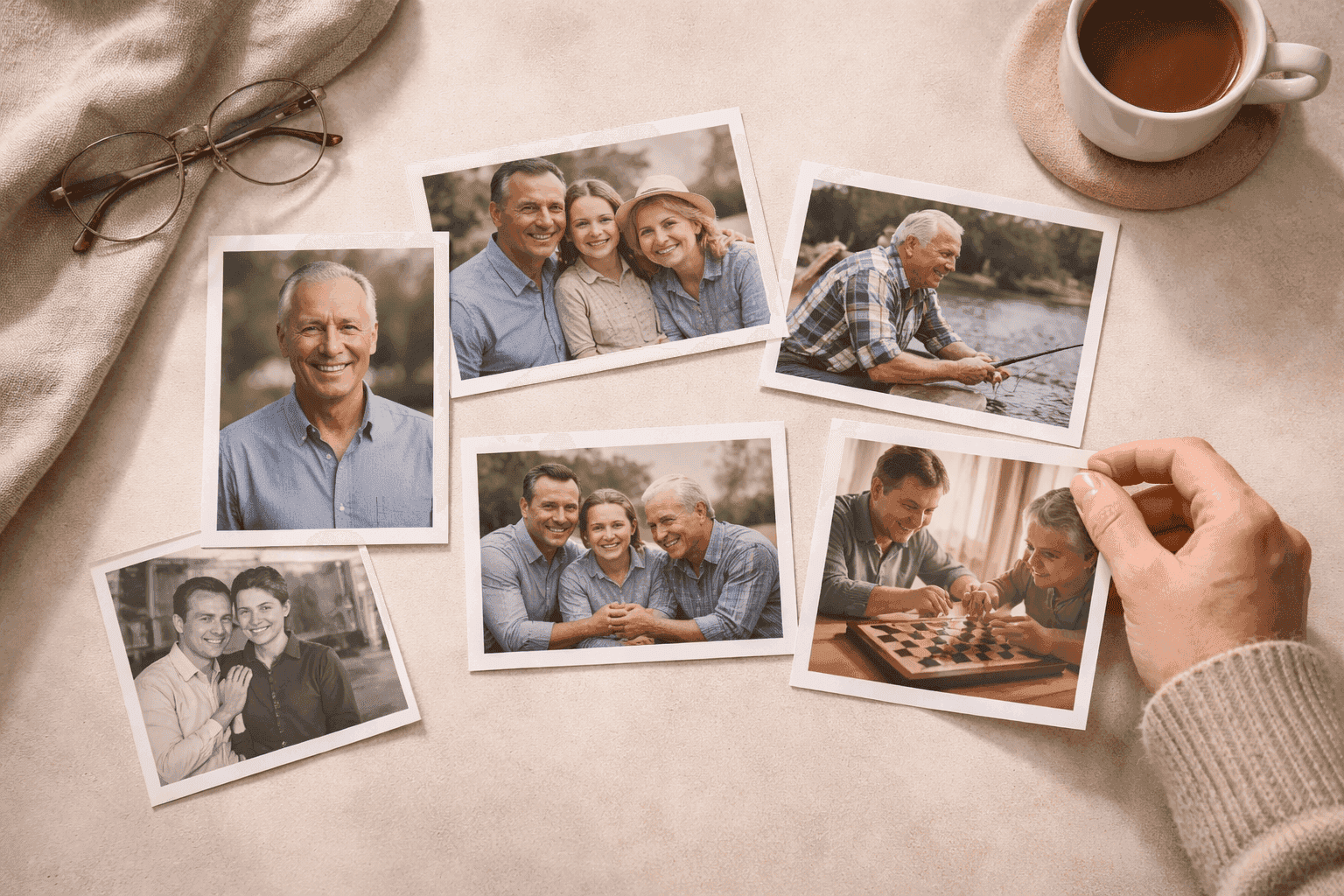
You're sitting with a box of photos — or scrolling through a phone camera roll — and everything feels important. The problem isn't finding photos. It's choosing between them when you're already grieving and every picture carries something.
The question that helps most isn't "which photo is best?" It's "does this set of photos tell the story of who this person was?"
Aim for 3-5 photos that cover different life stages and sides of the person: a clear portrait, a family photo, a candid, and one that shows what they loved. You don't need perfect quality — you need emotional range.
A Good Memorial Photo Set Usually Includes These Types
If you have room, try to include a mix like this:
1. A clear portrait
This is usually the first image visitors should see.
Choose one that feels immediately recognizable and warm. It doesn't need to be formal. It just needs to look like them — the version of them people knew.
2. A family photo
This helps visitors place the person in relationship to others. It also makes the memorial feel more personal and grounded. A photo with a spouse, children, or grandchildren often becomes the one that people linger on longest.
3. A candid photo
Sometimes the best photo is not the most polished one. It's the one that captures their laugh, their posture, the way they stood. Candid shots often feel more alive than portraits.
4. A photo connected to what they loved
Think about what defined them:
- gardening
- church or faith community
- military service
- cooking
- fishing or hunting
- grandchildren
- travel
- a sport or hobby they stuck with for decades
This helps the memorial feel specific, not generic. A photo of someone in their garden says something a studio portrait never could.
5. A photo from another life stage
If space allows, add one image from a different chapter of their life. A photo from decades earlier gives visitors a fuller sense of who they were over time — not just the person you knew at the end.
If You Only Have Room for 3 to 5 Photos
Use this simpler formula:
- One portrait
- One family photo
- One candid photo
- One hobby, service, or milestone photo
- One older photo from another chapter of life
That mix usually creates a page that feels complete without being crowded.
What to Avoid
The most common photo mistakes are:
- uploading several nearly identical portraits when you're not sure which to choose
- using only formal photos — the memorial ends up feeling like a résumé
- using blurry screenshots when a better original exists somewhere
- adding group photos where the person is hard to identify
- overloading the page with images that don't add anything new
The goal is not quantity. It is emotional range.
How to Find and Prepare Photos
You may have to do some digging, especially for older images.
Start by asking:
- close family members who might have prints in albums
- a sibling or cousin who kept childhood photos
- the person's phone or tablet if it's accessible
- anyone who was present at key life moments — a wedding, a milestone birthday, a retirement
Once you have physical prints, you can scan them with a phone camera using a document scanner app. The quality doesn't have to be perfect. A scanned photo that carries real meaning almost always matters more than a crisp but generic one.
If you're using phone photos, choose images taken in good natural light over dark indoor shots. Most phones taken within the last several years produce photos clear enough for an online memorial page.
Old Photos Still Matter
Don't ignore older printed photos just because they're not perfect quality.
If a scanned photo carries real meaning, use it. Visitors care far more about recognition and memory than perfect sharpness. A faded photo from 1975 that shows the person exactly as their siblings remember them will always outperform a sharp but impersonal recent portrait.
How to Choose When Family Members Disagree
This happens all the time.
The easiest solution is to give the set a few jobs:
- one photo that feels "most like them" to whoever knew them best
- one photo that matters to the spouse or children
- one photo that matters to the wider family or longtime friends
That usually creates balance without turning the process into a debate.
Match the Photos to the Story
The strongest memorial pages make the text and photos support each other.
If the biography talks about faith, include a church-related photo. If it talks about military service, include that. If it talks about a life centered on family, make sure family appears in the photos too. When the writing and images tell the same story, the page feels cohesive rather than assembled.
If you still need help with the written part, here is what to write on a memorial page. For broader ideas on how to structure the page itself, these memorial page ideas can help you see the full picture.
What If You Don't Have Many Photos?
One good photo is enough to start. You can always add more later.
If you genuinely only have one or two photos, make sure at least one of them is a clear portrait. Then write a biography that fills in what the photos can't show. Text and images work together — a page doesn't need ten photos to feel meaningful.
Frequently Asked Questions
How many photos should I put on a memorial page?
Most memorial pages work well with 3-8 photos. Fewer than three can feel sparse; more than ten often feels cluttered. Quality and range matter more than quantity — a set of five photos covering different sides of the person's life will almost always feel better than fifteen very similar ones.
Can I use old scanned photos even if the quality isn't great?
Yes. Visitors to a memorial page are not evaluating photo quality — they're looking for the person they knew. A meaningful older photo that's slightly blurry or faded is almost always better than a sharp but impersonal recent one. Scan what you have and use it.
What if family members disagree on which photos to include?
Give the photo set a few jobs: one that feels most like the person, one that matters to the immediate family, one that matters to extended family or friends. Most disagreements come from everyone wanting their own favorite represented — a role-based approach usually resolves that without anyone feeling excluded.
Should I include photos from the person's younger years?
Yes, if you have them. Photos from different life stages give the memorial depth and help visitors who knew the person at different points in life feel seen. Even one or two older photos make a big difference in how complete the page feels.
What if the only photos I have are from a phone and the quality is mixed?
Use what you have. Choose the clearest ones, prefer photos taken in natural light, and crop out distracting backgrounds if needed. You can update the page later if better photos surface — which they often do once other family members hear the memorial page is being created.
If you want a memorial page built around photos, QuickMemorial's plans keep the focus on clarity rather than clutter.
QuickMemorial
Written by the QuickMemorial editorial team. We cover grief, memorials, and end-of-life planning to help families navigate loss with care. Learn about us.
Related Articles
Grave Marker vs. Headstone: What's the Difference and Which to Choose
A grave marker and a headstone both mark a burial site, but they differ in size, style, cost, and cemetery rules — this guide explains each option clearly.
Memorial Service vs. Funeral: Key Differences Explained (2026)
Memorial service vs. funeral: one involves the body, the other doesn't. This guide covers timing, cost, and how to choose the right format for your family.
How to Handle Death Anniversaries: What Helps Year After Year
Death anniversaries can hit harder than expected, even years later. Here's what actually helps you cope, honor the day, and support others through it.